Signal Indicator Liquidity Buy/Sell — sweeps around swings
What is Liquidity Buy/Sell (sweep)
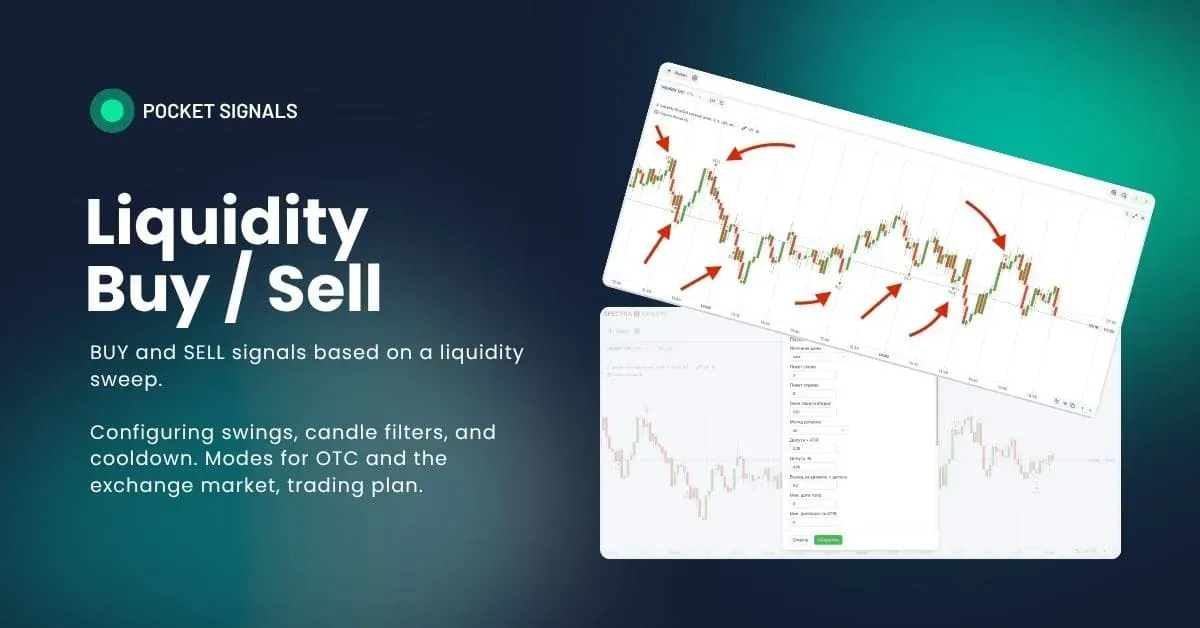
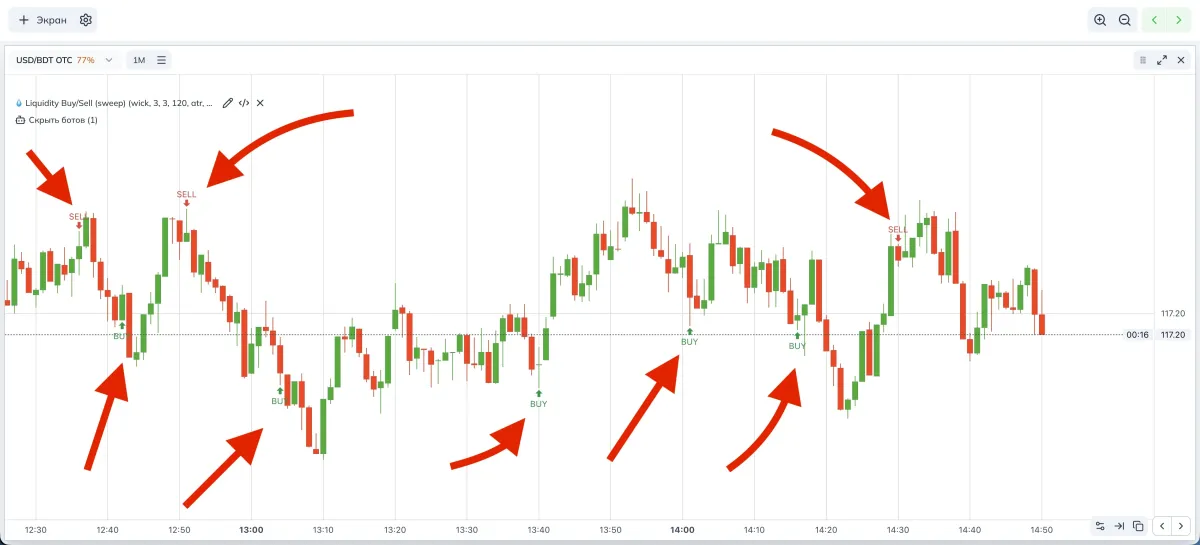
Liquidity Buy/Sell is a signal indicator from the “liquidity” family. It tracks swing levels and marks a sweep on the current candle when price wicks beyond the level and closes on the other side. Such a moment is often accompanied by stop runs and a subsequent impulse
How the indicator works
- Finds swing high and swing low by the window to the left and to the right
- Supports two price sources
wick — use wicks
body — use body edges - SELL signal
The current candle makes a wick above the swing high by overshoot × tolerance, then closes below the level - BUY signal
The current candle makes a wick below the swing low by overshoot × tolerance, then closes above the level - Tolerance is set via ATR × multiplier or percent
- Soft filters for body share and range in ATR
- Built-in cooldown to avoid a series of consecutive signals
- The signal is placed without delay, on the current bar.
- The “Signal delay” parameter remains in the UI for consistency but is fixed at zero.
Parameters and impact
Summary table
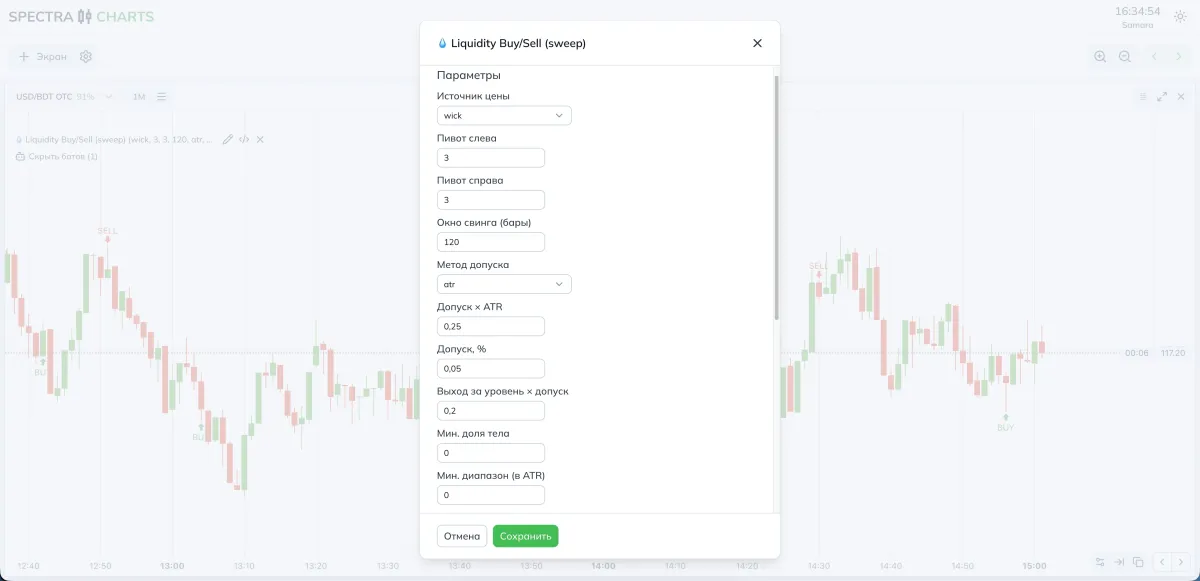
| Parameter | What it means | If you decrease | If you increase |
|---|---|---|---|
| Price source | wick or body for the swing | — | — |
| Pivot left / right | Swing window width | More swings, noisier | Fewer swings, more reliable |
| Swing window (bars) | How many bars back a swing remains valid for a sweep | More signals on older swings | Fresh swings prioritized |
| Tolerance method | atr or percent | — | — |
| Tolerance × ATR | Width of the tolerance band | More sweeps | Fewer, cleaner sweeps |
| Tolerance, % | Alternative to ATR | Thinner tolerance | Thicker tolerance |
| Overshoot beyond level × tolerance | How much farther beyond tolerance the wick must go | More signals | Fewer signals |
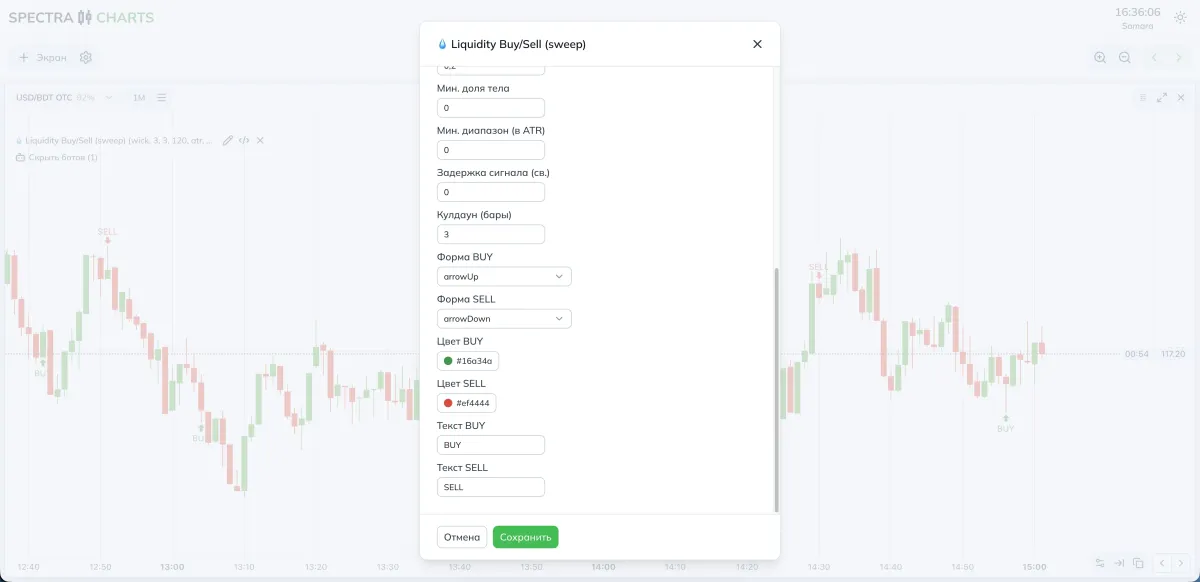
| Min. body share | close−open | / | |
| Min. range (in ATR) | Minimum candle size | Will catch small noise | Will keep larger moves |
| Cooldown (bars) | Pause between signals | More signals in a row | Signals less often, cleaner |
| BUY/SELL Shape/Color/Text | Marker styling | Visual settings | Visual settings |
- More signals — lower overshoot × tolerance, reduce min. body share and min. range in ATR, shorten the cooldown
- Fewer but cleaner — raise overshoot × tolerance, increase min. body share and min. range in ATR, lengthen the cooldown
Bot parameters (visuals)
Modes and presets
- Price source: wick
- Pivot left/right: 3 / 3
- Swing window: 120
- Tolerance method: ATR
- Tolerance × ATR: 0.20–0.30
- Overshoot × tolerance: 0.20–0.30
- Min. body share: 0.10–0.20
- Min. range (in ATR): 0.10–0.20
- Cooldown: 3–4
- Tip: if there are few signals, first reduce overshoot × tolerance
- Price source: wick or body for stricter levels
- Pivot left/right: 3–4 / 3–4
- Swing window: 150–250
- Tolerance method: ATR or percent in low volatility
- Tolerance × ATR: 0.25–0.40
- Overshoot × tolerance: 0.25–0.40
- Min. body share: 0.20–0.30
- Min. range (in ATR): 0.20–0.30
- Cooldown: 4–6
- Tip: during news, keep filters stricter to cut off spikes
Where to view signals in Spectra Charts
- Open an asset on Pocket Option in Spectra Charts
- Connect Liquidity Buy/Sell (sweep)
- Check the price source, swing window, and tolerance method
- Watch for BUY and SELL markers on current bars
Trading plan
BUY
The candle wicked below the valid swing low with an overshoot beyond the tolerance, then closed above the level
Enter on the next candle
SELL
The candle wicked above the valid swing high with an overshoot beyond the tolerance, then closed below the level
Enter on the next candle
Expiration
One candle
Later test two and three candles based on your stats
Risk
Fixed trade size
No martingale during the tuning phase
FAQ
Reduce overshoot × tolerance, lower min. body share and min. range in ATR, shorten the cooldown
Raise overshoot × tolerance, increase min. body share and min. range in ATR, lengthen the cooldown
Two or three currency pairs with stable payouts; don’t spread yourself across a large list
Summary
Liquidity Buy/Sell captures sweeps around swings and gives a clear entry trigger on the next candle. Control frequency and quality via overshoot × tolerance, candle filters, and cooldown. Keep settings moderate and change one parameter at a time.
Trading Bot Streak Hunter — entry against a streak of same-colored candles
Searching for streaks of candles of one color and a counter-trend entry at the “inflection.” Bot logic, parameter impact, recommendations for OTC and the real market, and a trading plan.
Trading Bot OverZero Flip 30s–1m — powerful signals from crossover detection
A scalping strategy on 30 seconds and 1 minute based on moving-average crossovers with OsMA confirmation. Parameters, presets for OTC and the real market, working strategy.