Indicator Liquidity Sweep — sweeps from clustered levels
What is Liquidity Sweep
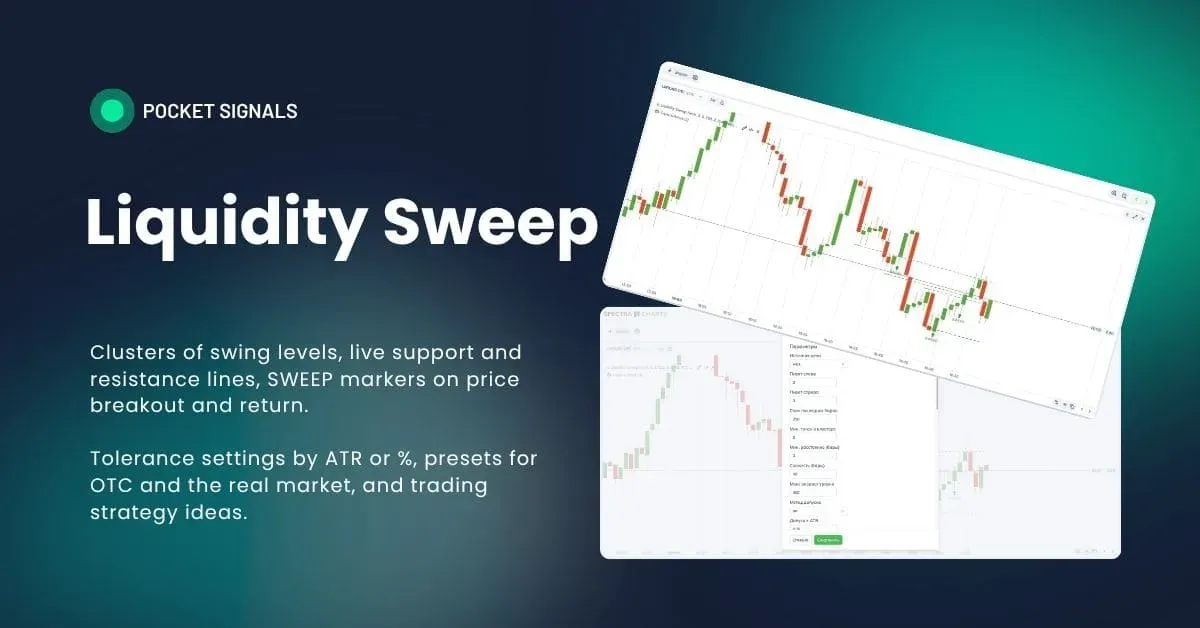
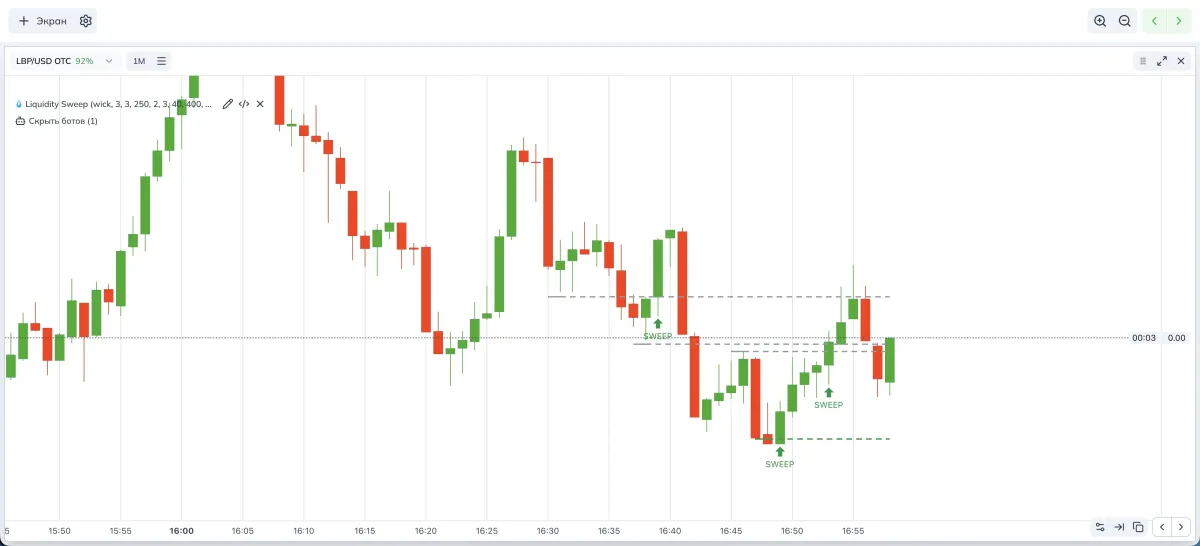
Liquidity Sweep marks moments when price wicks beyond an important level and then closes back. Such a poke often takes stops and launches a short-term impulse. The indicator builds liquidity levels from swing clusters and shows SWEEP markers at liquidity grabs. It’s convenient for quick strategies on Pocket Option in Spectra Charts and works well as a base for learning how to trade sweeps.
How the indicator works
- Swings and price source
Swings are searched by a left/right window. The extreme source is set to wick for shadows or body for body edges. - Level clusters
Swings close in price are merged into clusters with a tolerance. The tolerance is calculated as ATR × multiplier or in percent. - Anti-spam filters
Merging nearby levels, a max levels per side cap, sorting by strength with recency weighting. - Line lifespan
A line becomes “dead” if price closes with the body beyond the tolerance. Active levels are drawn in support/resistance colors, dead ones in gray. - SWEEP markers
A sweep is recorded if a candle goes beyond the tolerance past a level and then closes back. Soft filters for body share and candle range in ATR are included so thin needles without impulse don’t count.
Indicator parameters (visual)
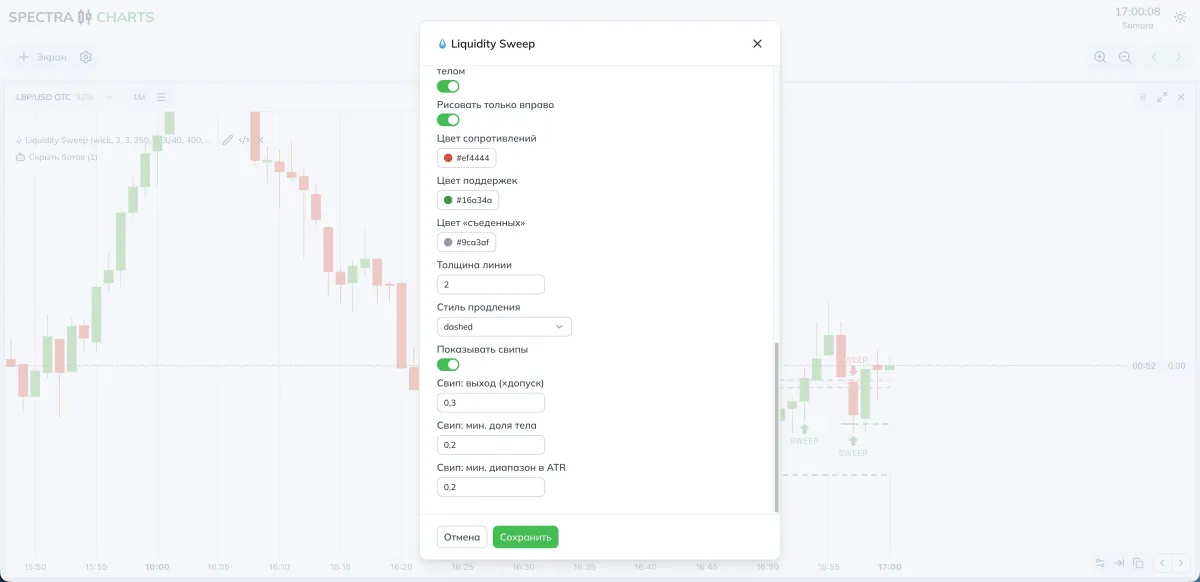
Parameters and impact
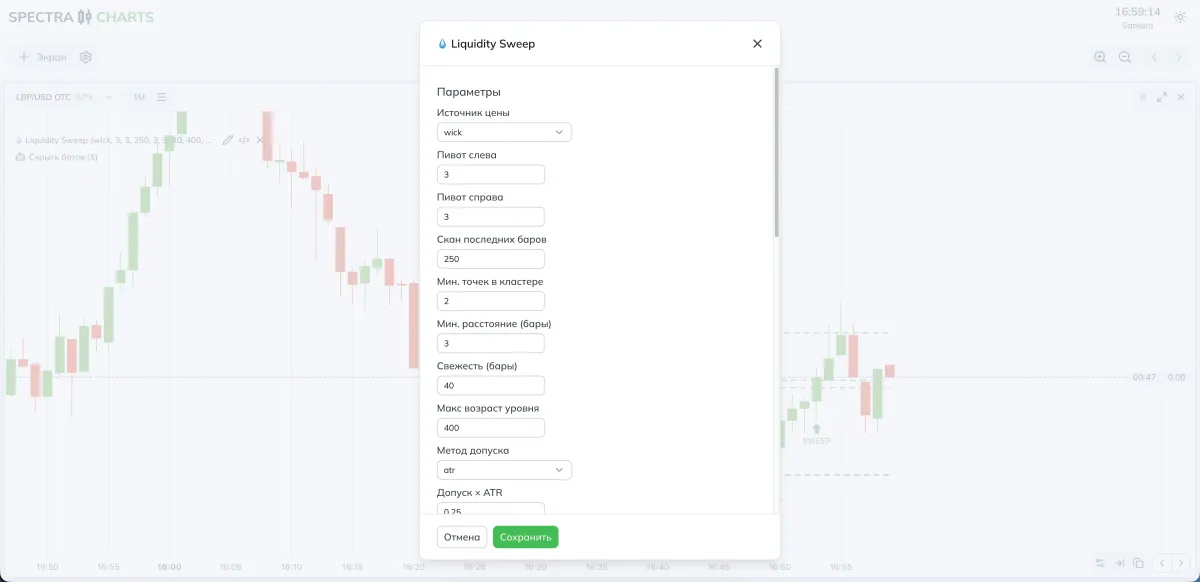
Source and search window
| Parameter | What it does | If you decrease | If you increase |
|---|---|---|---|
| Price source | wick or body for swing construction | — | — |
| Pivot left | How many bars on the left must be weaker | More swings, more noise | Fewer swings, more reliable |
| Pivot right | How many bars on the right must be weaker | Confirmation faster | Fewer false points |
| Scan last bars | Search depth | Faster, fewer levels | Slower, more levels |
Clusters and tolerances
| Parameter | Purpose | If you decrease | If you increase |
|---|---|---|---|
| Min. points in cluster | Minimum swings per line | More levels | Fewer, stronger levels |
| Min. distance (bars) | Minimum interval between swings | More nearby points | Cleaner structure |
| Tolerance method | atr or percent | — | — |
| Tolerance × ATR | Width of the equality corridor | More sweeps | Fewer, but cleaner |
| Tolerance, % | Alternative to ATR | Thinner tolerance | Thicker tolerance |
Anti-spam and prioritization
| Parameter | What it does | Effect |
|---|---|---|
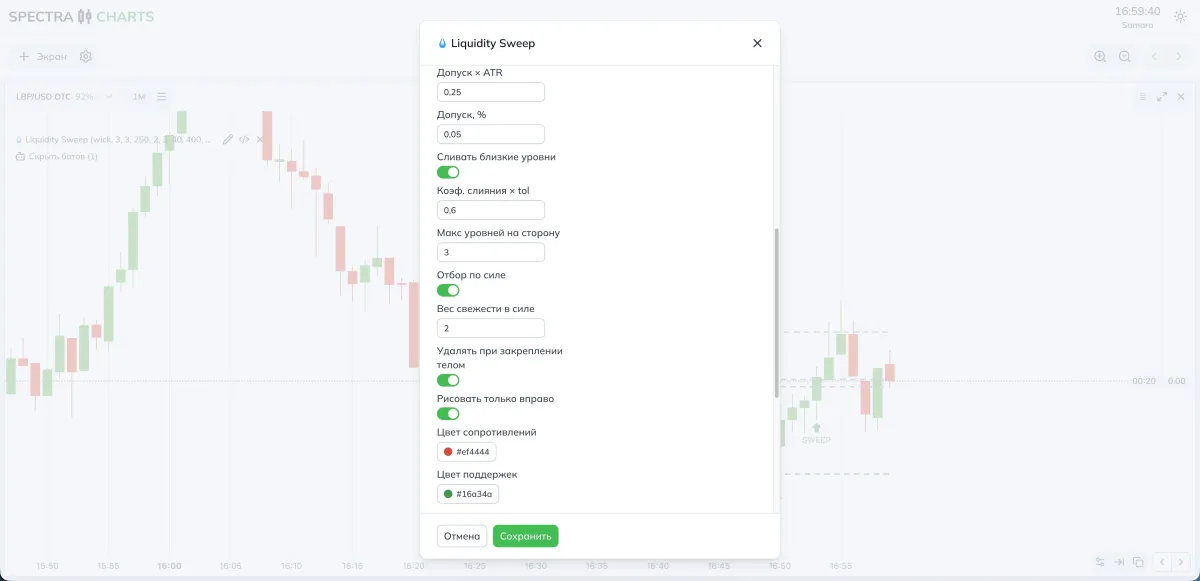
| Merge close levels | Combine neighboring clusters | Less duplication |
| Merge coeff × tol | How aggressively to merge | Higher coeff — stronger compression |
| Max levels per side | Cap on lines above/below | Controls clutter |
| Select by strength | Counts touches and recency | Stronger levels rank higher |
| Freshness weight in strength | Importance of recency | Fresh lines get priority |
Lifespan, render, and sweeps
| Parameter | What it does |
|---|---|
| Delete on body close beyond | Demotes a line to “dead” after a decisive close |
| Draw only to the right | Shows the segment from last touch to now |
| Colors for resistances / supports / dead | Styling for active and retired levels |
| Line thickness / Extension style | Visual contrast and extension toward “now” |
| Show sweeps | Enables SWEEP markers |
| Sweep: overshoot × tolerance | Required poke beyond the tolerance |
| Sweep: min. body share | Filters needle bars without body |
| Sweep: min. range in ATR | Minimum candle size relative to ATR |
- More SWEEP markers — reduce overshoot × tolerance, lower min. body share and min. range in ATR, gently increase the tolerance.
- Fewer but cleaner — raise overshoot × tolerance, tighten body and range requirements, limit max levels per side.
Modes and presets
- Price source: wick
- Pivot left/right: 3 / 3
- Scan last bars: 250–400
- Tolerance method: ATR
- Tolerance × ATR: 0.20–0.35
- Merge close levels: on, Coeff × tol: 0.6
- Max levels per side: 3
- Sweeps: on
- Sweep filters: overshoot 0.3, body share 0.2, range 0.2
- Price source: wick or body for stricter levels
- Pivot left/right: 3–4 / 3–4
- Scan last bars: 400–600
- Tolerance method: ATR or % in low volatility
- Tolerance × ATR: 0.25–0.40
- Merge close levels: on, Coeff × tol: 0.7–0.9
- Max levels per side: 2–3
- Sweeps: on, thresholds slightly higher during news minutes
Where to look in Spectra Charts
- Open an asset on Pocket Option in Spectra Charts
- Connect Liquidity Sweep
- In the panel, set the tolerance method, line limits, and sweep filters
- Watch support/resistance lines and SWEEP markers on history and in real time
Trading plan
BUY
There is an active support line. A candle pierced it downward beyond the tolerance and closed back above the level.
Plan the entry on the next candle.
SELL
There is an active resistance line. A candle pierced it upward beyond the tolerance and closed back below the level.
Plan the entry on the next candle.
Expiration
For impulsive sweeps use one candle.
If the impulse fades, test two candles and gauge the return to the middle of the last range.
Risk
Fix your trade size and avoid averaging against the sweep.
Re-enter only after a new touch of the level or the next SWEEP marker.
FAQ
Reduce overshoot × tolerance and lower the min. body share and min. range in ATR filters; check whether your tolerance is too strict.
Enable merge, raise min. points in cluster, and limit max levels per side.
Check delete on body close beyond and the tolerance size. If the tolerance is small, closes beyond it will be recorded more often.
Summary
Liquidity Sweep automatically builds a liquidity level structure and shows sweeps at stop-grab points. Control the number of lines and markers via tolerances, merging, and candle filters. This gives clear entry scenarios for strategies on short timeframes and helps systematize binary options trading on Pocket Option in Spectra Charts.
Indicator Imbalance Suite — FVG, OG, and VI
Price imbalance zones: Fair Value Gap, inter-candle gaps, and void imbalances. How zones are constructed, which filters are applied, how to control width via Points/%/ATR, parameter recommendations, and a working plan.
Indicator ZigZag Channels — dynamic channels from extremes
ZigZag based on confirmed extremes, automatic channel boundaries and price labels. How the markup is built, which parameters affect visibility and clarity, presets for OTC and the real market, and a working entry plan.