How to withdraw money from Pocket Option to the BingX exchange and exchange cryptocurrency for rubles
Withdrawal in cryptocurrency is the fastest and most convenient way to transfer profits from Pocket Option and receive money on a bank card through BingX P2P. Below is a step-by-step guide to help you do everything safely and without mistakes.
Step 1. Proceed to withdrawal in Pocket Option
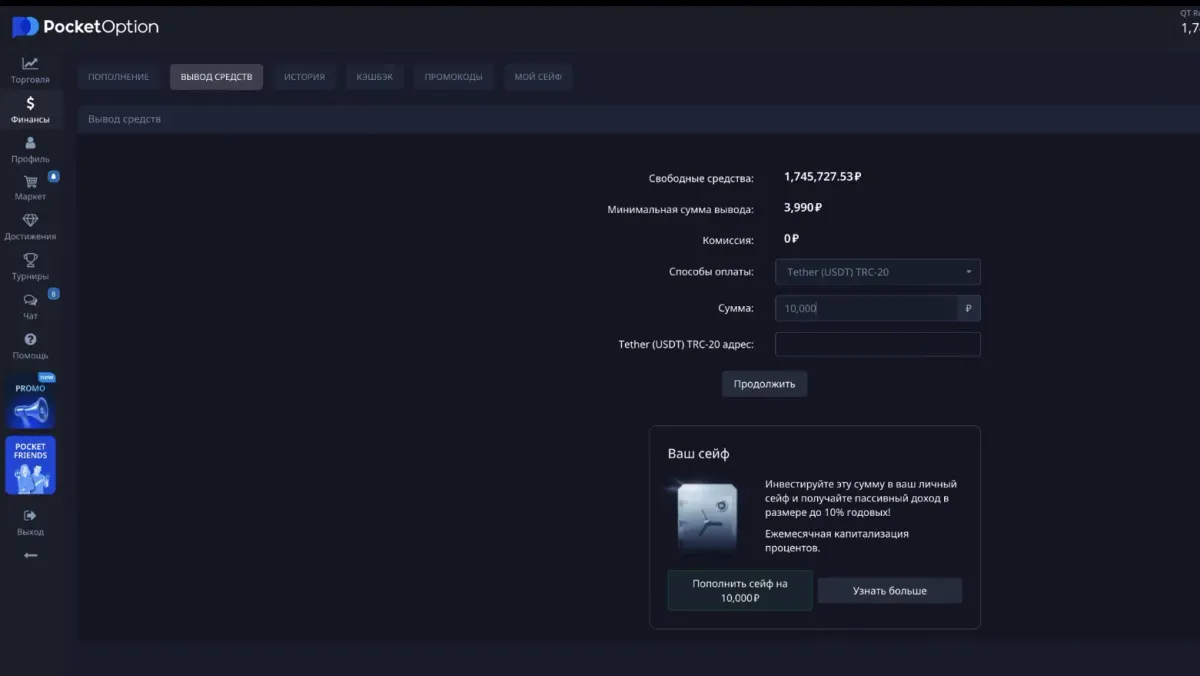
- Log into your Pocket Option account.
- Open the menu: “Finance” → “Withdrawal”.
- Enter the withdrawal amount, for example 10,000 rubles.
Check which withdrawal methods are available:
- If you deposited via bank card, the default option will be withdrawal to card.
- If you want to withdraw cryptocurrency, but it does not appear:
You can also write to our support — we will help.
- If your first deposit was made via a bank card, you can withdraw only to the same card. Starting from the second withdrawal, you can use other cards belonging to you.
- It is important to deposit and withdraw only to your own accounts, not those of friends or family!
Step 2. Get your wallet address in BingX
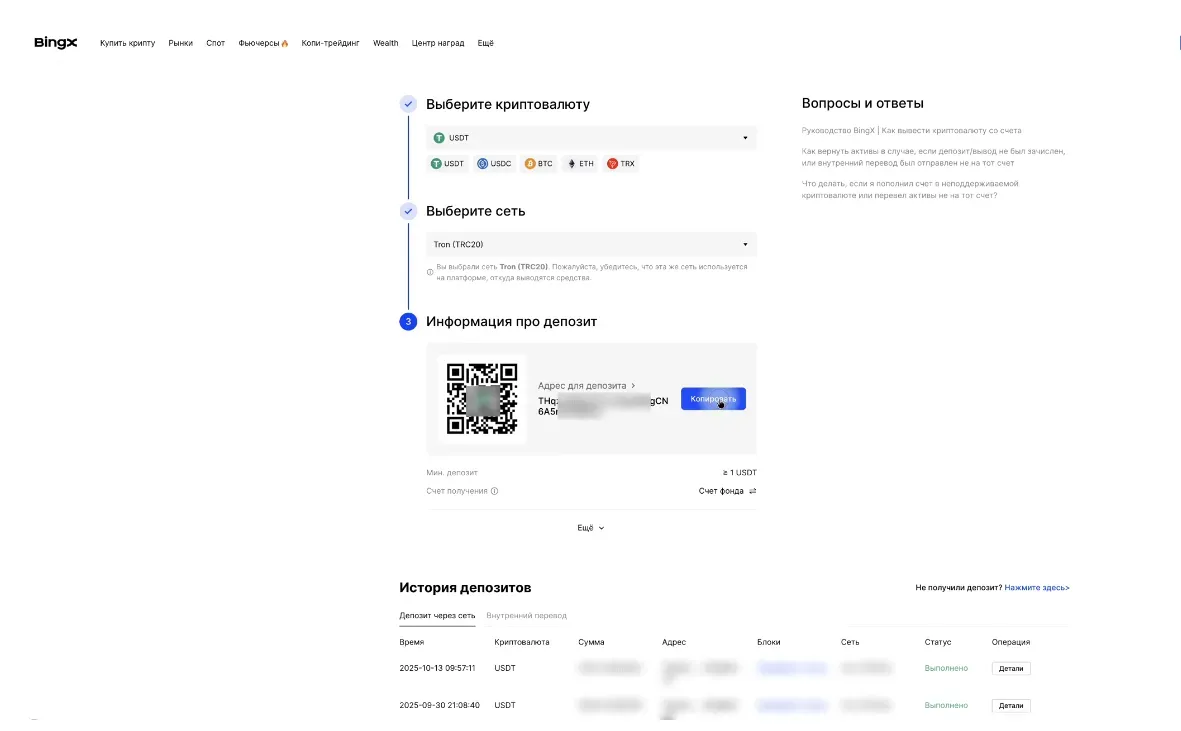
Go to the BingX exchange.
- Log into your account.
- Open “Assets” → “Deposit”.
- Select the currency USDT.
- Set the network to TRON (TRC20).
If the wallet has not been created yet:
- click “Create Wallet”.
After that, your address will appear. Click “Copy”.
Step 3. Complete the withdrawal in Pocket Option
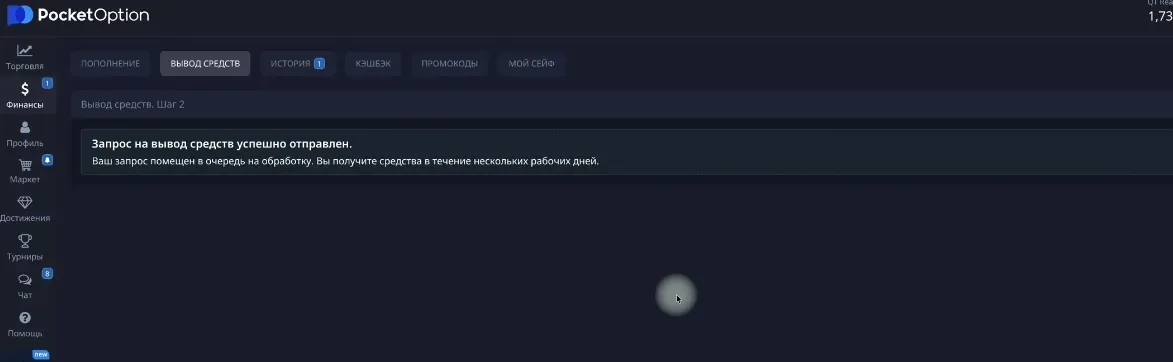
Now return to Pocket Option.
- Paste the copied USDT TRC20 address into the withdrawal field.
- Click “Continue”.
- If two-factor authentication is enabled — confirm using:
- e-mail,
- SMS,
- Google Authenticator.
You will then see the message:
“Withdrawal request successfully submitted”
Step 4. Wait for the funds to arrive
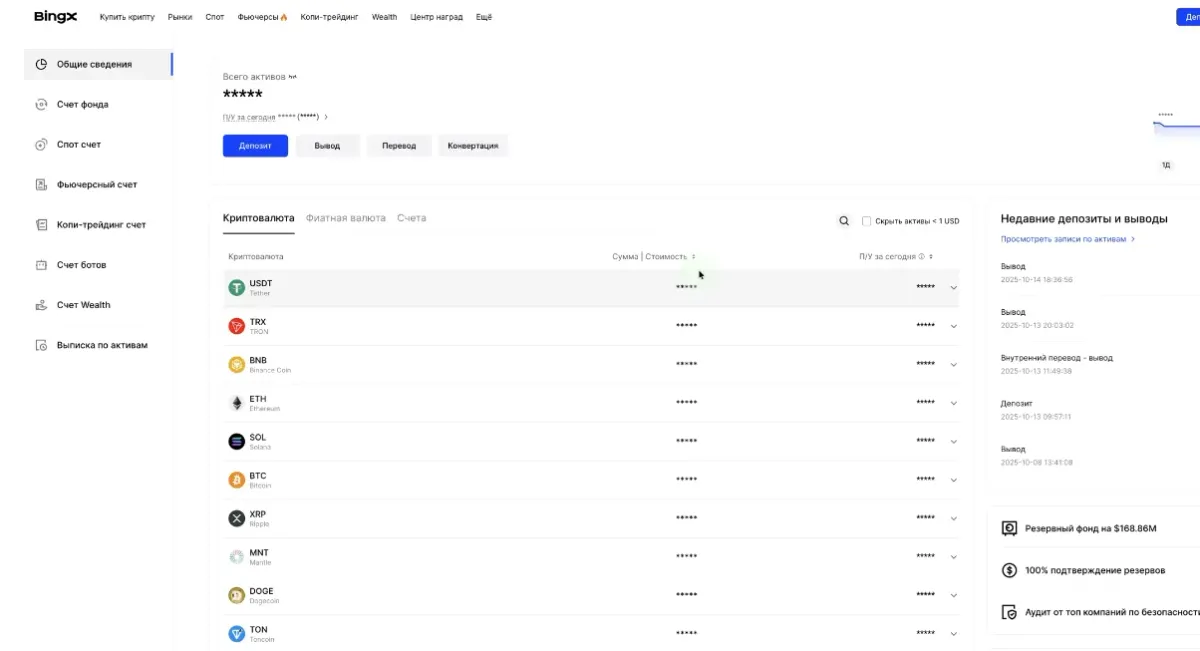
Funds usually arrive quickly, but there may be a maximum processing time:
When the USDT arrives, it will appear in:
BingX → Assets → USDT
To view the history — click the arrow to the right of the balance.
How to transfer cryptocurrency from BingX to a bank card via P2P exchange
Once USDT is in your account, you can withdraw it as rubles via P2P.
Step 1. Open P2P on BingX
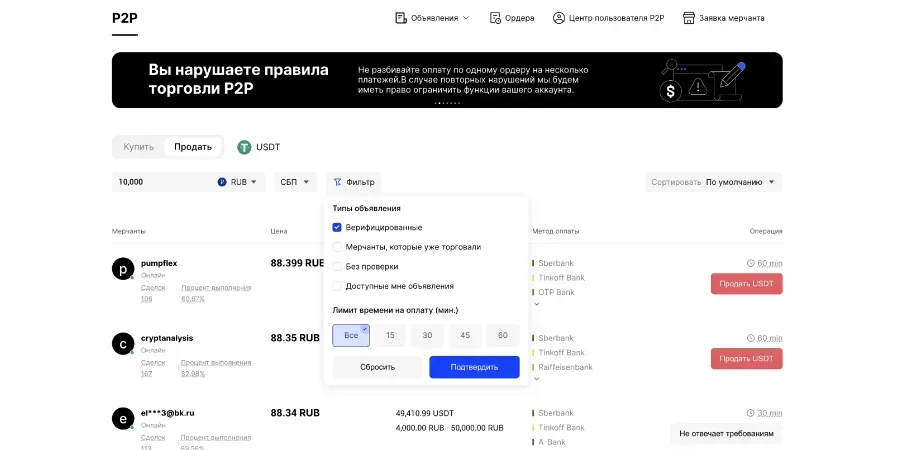
- On the BingX main page select “Buy Crypto → P2P”.
- At the top switch to the “Sell” tab.
- Ensure the currency RUB is selected (or your local currency).
- Enter the selling amount, for example 10,000 rubles.
- In the “Payment Method” filter choose your preferred option:
- SBP,
- Tinkoff,
- VTB,
- Raiffeisen,
- Sberbank (use with caution).
- Check the box “Verified sellers only”.
Step 2. Choose a buyer
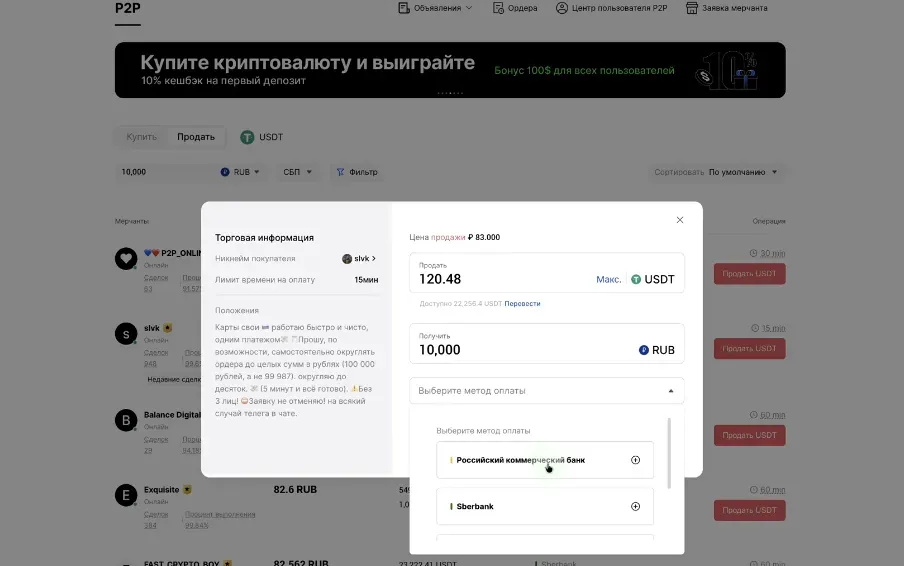
Before making a deal, study the list of buyers.
Ideal choice:
- “verified merchant” badge,
- high rating,
- fast transactions.
Click “Sell USDT” for a suitable user.
Be sure to read the seller’s notes beforehand:
- transaction processing time,
- payment requirements,
- possible restrictions (e.g. rounding amounts).
Step 3. Set up your payment method
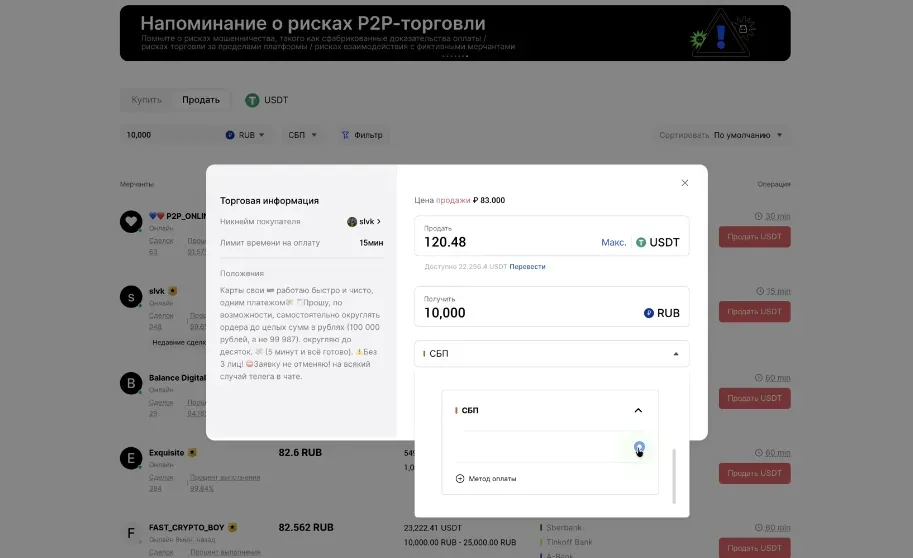
When selling:
- Enter the amount, for example 10,000 rubles.
- Add the payment method:
- card number,
- full name of the account holder.
If you already use SBP — simply select the saved method (or add a new one).
Click “Sell USDT”.
Step 4. Confirm the payment
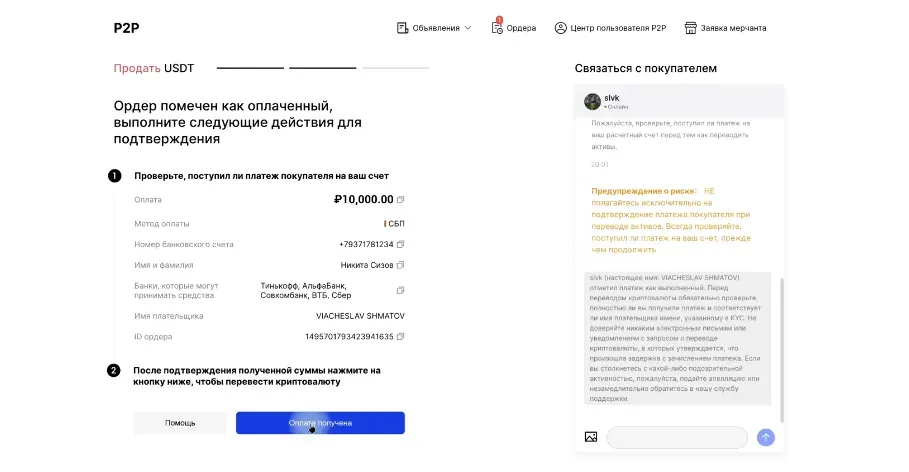
Wait for the buyer to send the payment.
Do not trust words, always check your banking app!
Then:
- click “I have received the payment”,
- enter the confirmation code (SMS / Telegram / Google Authenticator).
After confirmation, USDT is deducted from your account and transferred to the buyer.
Step 5. Check deal completion
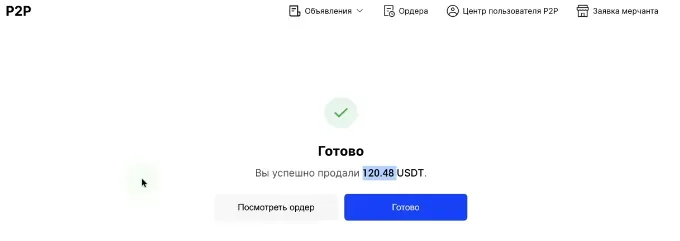
The status will change to “Completed”.
The funds are already on your bank card.
✅ Done!
Now you know how to:
- withdraw funds from Pocket Option in cryptocurrency,
- transfer USDT to the BingX exchange,
- exchange crypto for rubles via P2P,
- safely receive money on your bank card.
This is a universal and reliable way to withdraw profits from Pocket Option, used by thousands of traders.
Complete overview of the Pocket Option platform — a beginner’s guide
A detailed overview of the Pocket Option platform: demo account, bonuses, technical analysis, tournaments, indicators, statistics, and social trading. A helpful guide for those starting with binary options.
Binary options, what it is. Complete glossary of terms and their definitions
Clear definitions for all beginner traders: what binary options are, how trades work on Pocket Option, key terms, indicators and trading styles — all in one glossary.